Design ideas
Published
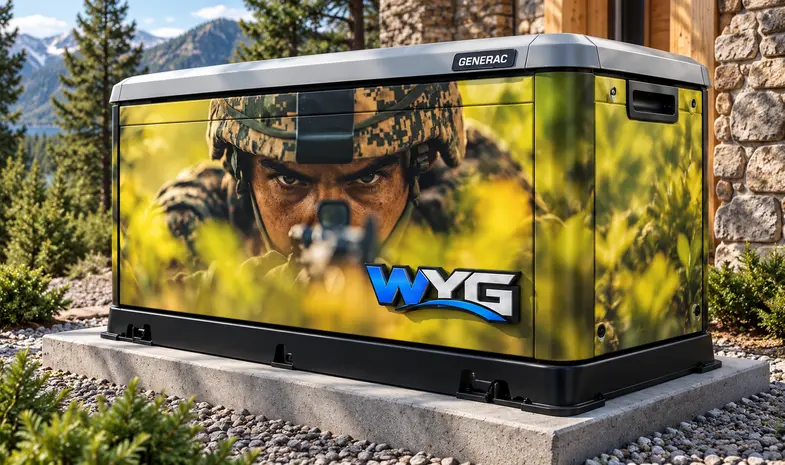
A clear design selection helps communicate the direction you want for your generator. The next step is to connect that choice to the exact enclosure and a production layout that can be reviewed and approved for the real project.
Choose a direction and identify it clearly
Start in the design library and select the design you want to explore. Compare the published generator previews and note which elements you like. Record the design name and SKU so it is easy to identify during the project review.
Published generator photographs and concept images are visual references. Keep the original design name and your notes so the intended look is clear even when your exact model is not shown.
Keep your selection and source files together
Record the selected design name, SKU, preferred generator panels, and any requested changes. Keep that note with the original logo, photograph, or artwork files used for a custom request.
When returning to the project, those details provide a useful handoff reference. A design selection is not a print-ready panel file or an order confirmation.
Bring the exact enclosure into the artwork review
- Full generator model and photos of the accessible exterior faces.
- The selected design name and SKU.
- Which panels should be included, including any requested top coverage.
- Original logo files and exact wording for custom artwork.
- Notes about surface condition and the most important viewing angles.
These details help the production layout account for the actual panel edges, openings and separate faces. A preview showing a top panel does not confirm that your particular top panel can be included. Treat each view as part of the brief until the project scope and enclosure have been reviewed.
Approve the layout you intend to have produced
Compare the proposed production artwork with your brief. Check spelling, logo version, design direction, important details near panel edges and the list of included faces. Ask questions about any difference between the concept and the proposed layout before approving it.
Keep the approved revision with the agreed project scope. Concept images, including AI-assisted previews, may differ from the finished product in color, scale, placement and appearance. Final artwork approval, production, and installation arrangements are separate steps confirmed with WYG.